
Sometimes your eyes get tired, and the brightness of white pages stings your eyes.
In the edoc Docs Center, you can choose from a variety of color schemes that you find appealing.
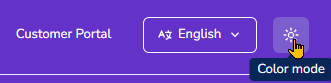
On the title bar, you'll find the sun icon, which you can use to select the color scheme.
Available color modes
-
Auto: The color scheme used is based on the settings of your PC, laptop, or smartphone.
-
Light: The color scheme will always be set to light mode, regardless of your device's settings. Content is displayed on a white background.
-
Dark: The color scheme will always be in dark mode, regardless of your device's settings. Content is displayed on a dark background.