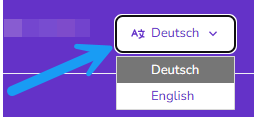
You can use the edoc Docs Center in German or English.
You will find the language selection on the portal page, on the start page of a guide and in the article view if the guide is available in two languages.
If you select English as the language on the portal page, only the guides that are available in English will be displayed as tiles.
Suppose you want to select a different language in the edoc Docs Center.
Here's how
-
Open the portal page of the edoc Docs Center.
-
Click on the language in the title bar.
-
Select the language you want to display.