If you want to save work and clicks and process several invoices one after the other, that's no problem.
Here's how
-
Select several invoices in edoc workplace using CTRL and the mouse. You can deselect them at any time using the ESC.
-
Press the ENTER key to edit the list of invoices one after the other.
-
Process the first invoice as usual in the capture form.
-
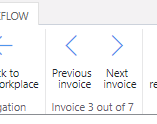
Select Next invoice in the ribbon to display the next of your selected invoices.
-
Use the ribbon functions Next invoice or Previous invoice to navigate through the selected invoices.
In the ribbon, you can always see where you are in the list of invoices to be processed. No matter how many invoices you have open, you can find your way around at any time: