
Your personal start page offers you a complete overview of the contracts and deadlines (due date of your reminders). The dashboard - your personal start page - is particularly helpful if you manage a lot of reminders and want to get an overview of upcoming and due reminders.
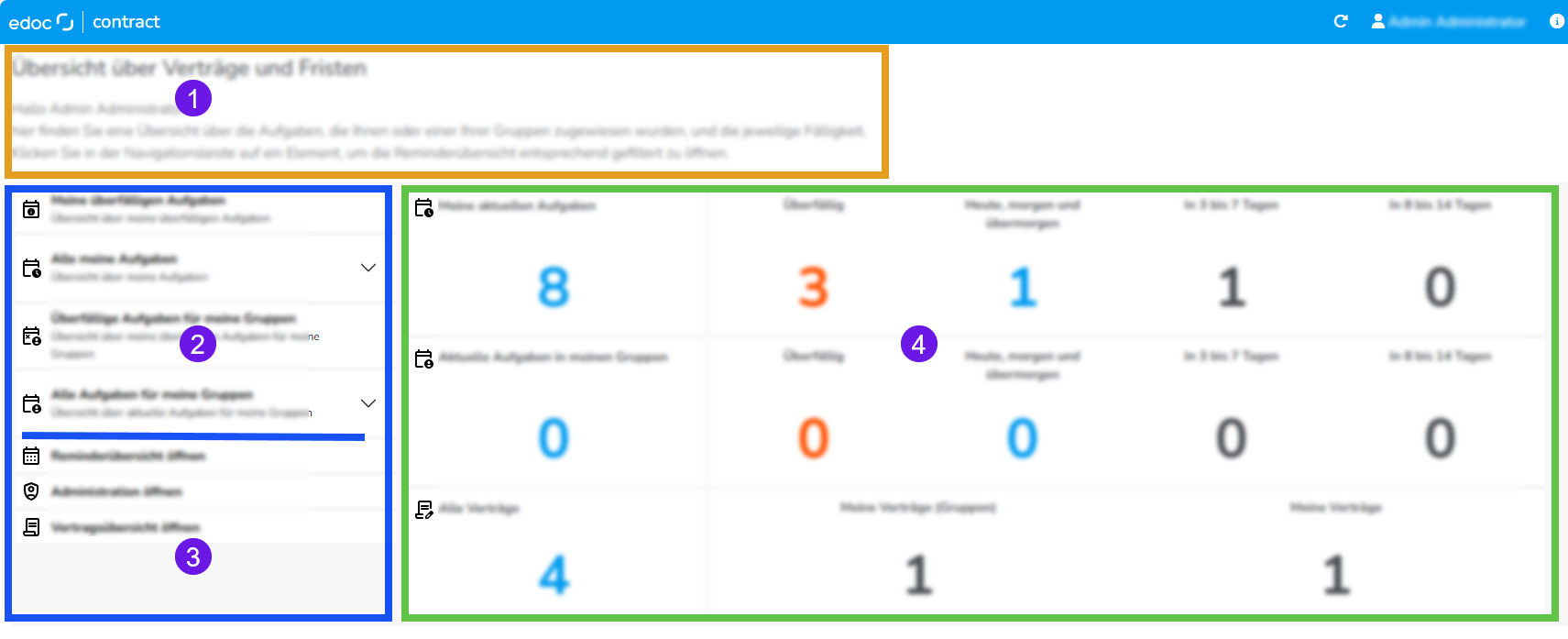
Your personal start page is divided into three sections and offers you an overview as well as various functions.
-
Upper section: explains which details are displayed on the page.
-
Left-hand side section: shows details of the various filters with which you can open the reminder overview already filtered.
-
Left side section (bottom): displays two actions that take you to the reminder overview or administration.
-
Open reminder overview: opens the reminder overview with the default filter or with the filtering configured by your administration.
-
Open administration: opens the administration for edoc contract. If you do not have permissions for the view, a corresponding error message is displayed.
-
Open contract overview: opens the contract overview for all contracts in your organization. If you do not have permissions for the view, a corresponding error message is displayed.
-
-
Middle section: shows the number of reminders and contracts you are involved in processing, either as a person or as a member of a group.
-
All tasks (reminders) that have been personally assigned to you are displayed in the first row.
-
The second row displays all tasks (reminders) that have been assigned to the groups of which you are a member.
-
The third row shows you the contracts for which you have been personally specified as the recipient or for which you are a member of the recipient groups.
-
Overview of the filter options for the due date of tasks
While the middle section provides you with a visual representation of the due dates and contracts, you can use the filter options in section 2 to open the filtered reminder overview.
The following filter options are available to you:
-
My current tasks: shows open reminders and reminders assigned to you personally in the reminder overview.
-
My overdue tasks: shows reminders that are overdue and assigned to you personally in the reminder overview. The following additional criteria are available to you:
-
Due date: today, tomorrow, and the day after tomorrow: shows open reminders assigned to you personally in the reminder overview that are due in the next 3 days.
-
Due date: in 3–7 days: shows open reminders in the reminder overview that have been personally assigned to you and are due in the next 3–7 days.
-
Due date: in 8–14 days: shows open reminders in the reminder overview that have been personally assigned to you and are due in the next 8–14 days.
-
-
Current tasks for my groups: shows open reminders in the reminder overview that have been assigned to the recipient groups of which you are a member.
-
Overdue tasks for my groups: shows overdue reminders in the reminder overview that have been assigned to the recipient groups of which you are a member.
-
Due date: today, tomorrow, and the day after tomorrow: shows open reminders in the reminder overview that have been assigned to the recipient groups of which you are a member and whose due date is in the next 3 days.
-
Due date: in 3–7 days: shows open reminders in the reminder overview that have been assigned to the recipient groups of which you are a member and whose due date is in the next 3–7 days.
-
Due date: in 8–14 days: shows open reminders in the reminder overview that have been assigned to the recipient groups of which you are a member and whose due date is in the next 8–14 days.
-