
When editing an action in edoc automate, you can add an action via quick selection to any parameter that accepts a return value from another action.
For the inserted action, all values for the parameters are already filled in with a specific value. If the action to be inserted has a parameter of type COMPONENT, the component selection can be started directly.
The corresponding action is added to the desired parameter without further editing.
Suppose you are currently editing an action that accepts the return of actions in the parameters:
First select an action from the available actions for the desired parameter.
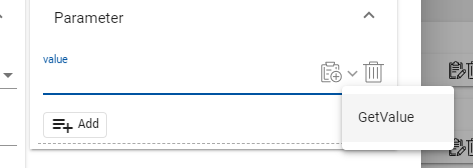
There are two ways in which the action editor behaves:
-
If the selected action has a COMPONENT parameter, the component selection is started directly and the action editor is closed.
-
If all parameters have been defined or a component has been selected, the action is added directly to the parameter.
Define actions for quick addition
In the edoc automate configuration, you can define any actions for quick addition to WebDAV yourself.
Example:
<?php

use edoc\appserver\app\QuickAddAction;
use edoc\appserver\app\quickaddaction\ParameterPreset;
use edoc\appserver\app\quickaddaction\ScalarValue;

return [
  'quickaddactions' => [
      (new QuickAddAction(
          'utils', // action group
          'DatasetFromCSV', // action name
          [
              new ParameterPreset("CSV", new ScalarValue("val1;val2;val3\nValue01;Value02;Value03\nValue11;Value12;Value13\nValue21;Value22;Value23")),
              new ParameterPreset("Delimiter", new ScalarValue(";"))
          ]
      ))
      ->setName('testdataset')
      ->setLabel('Test Dataset (val1;val2;val3)')
      ->editAfterCreation(),
  ]
];
See also